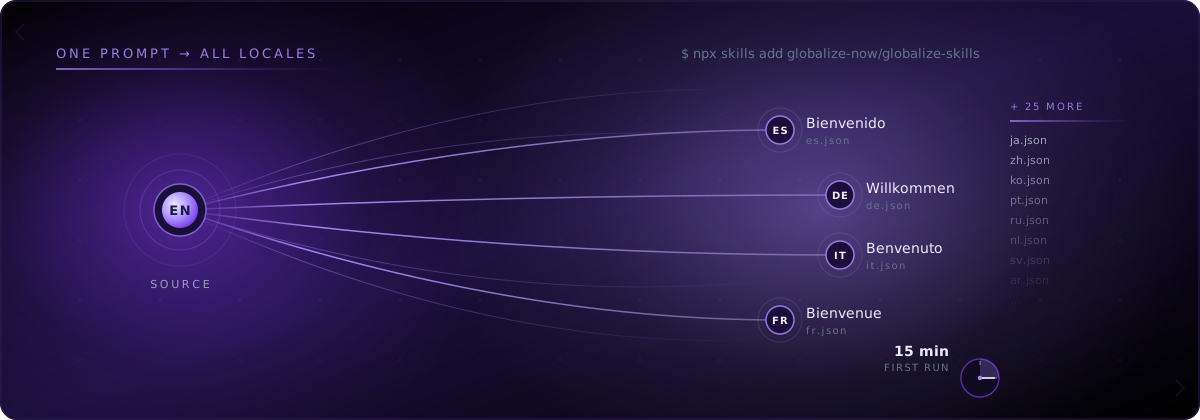
आप एक CLI install करते हैं, Cursor को एक prompt भेजते हैं, और आपका Next.js project केवल English वाले JSX से बदलकर एक काम करने वाला multilingual app बन जाता है, जिसमें [locale] routing, generated keys और हर push पर auto-sync होता है। globalize.now AI-powered localization infrastructure है, जो वह i18n work करता है जिसे Cursor ने छोड़ दिया था: hardcoded strings निकालना, next-intl keys और locale files generate करना, और हर Git push पर translations को sync रखना। नीचे दिया गया walkthrough एक standard App Router project मानकर चलता है। हमारे test repo में कुल wall-clock time: 13 मिनट 40 सेकंड।
जब Cursor आपका Next.js UI बनाता है, तो वास्तव में क्या ख़राब होता है?
Cursor architecture के बजाय working UI को प्राथमिकता देता है। यह natural language instructions से code बनाता है और prompts के ज़रिए code के हिस्सों को update करता है। इसका मतलब है कि JSX अक्सर उसी तरह लिखा जाता है जैसे कोई इंसान quick prototype लिखेगा: text inline, बिना keys, बिना locale files और बिना [locale] segment के।
Cursor से generate किया गया एक सामान्य Next.js page ऐसा दिखता है:
// app/page.tsx
export default function Home() {
  return (
    <main>
      <h1>Welcome to Acme</h1>
      <p>Get started in seconds.</p>
      <button>Sign up</button>
    </main>
  )
}
एक page पर तीन hardcoded strings। वास्तविक app में दर्जनों components में सैकड़ों strings होती हैं। Pages Router में पहले built-in i18n config मिलता था, लेकिन App Router के default बनने पर उसे हटा दिया गया। अब developers को middleware, dynamic route segments और next-intl जैसी external library को खुद wire up करना पड़ता है। Cursor का default behaviour इनमें से कुछ भी अपने-आप नहीं करता।
नतीजा वही pattern है जिसे हमने Why your Lovable app's translations break every time you ship में बताया था: codebase बढ़ता जाता है, hardcoded strings जमा होती जाती हैं और “अगले महीने Spanish जोड़ें” कई हफ़्तों के refactor में बदल जाता है।
Cursor project पर globalize.now कैसे सेट अप करें?
globalize.now पर अपनी repository connect करें। पहला conversion app में एक बार चलता है: यह repo पढ़ता है, hardcoded strings को keys से बदलता है और आपके review के लिए एक pull request खोलता है। इसके बाद हर push पर जो भी नया होगा, उसका translation हो जाएगा।
अगर आप पहला pass Cursor से चलाना चाहते हैं, तो project root से skills install करें:
npx skills add globalize-now/globalize-skills
CLI आपके stack का पता लगाता है, Cursor के लिए सही preset चुनता है और आपके project में agent rules install करता है। Next.js 16 App Router project पर output ऐसा दिखता है:
✓ Stack detected: Next.js 16 (App Router)
✓ Editor detected: Cursor
✓ Preset selected: globalize-guide + next-intl
✓ Installed 4 skill files to .cursor/rules/
Done in 1.2s
Skill files आपकी मौजूदा Cursor rules के साथ रहती हैं। वे Cursor agent को बताती हैं कि string extraction कैसे करना है, next-intl conventions के अनुरूप keys कैसे generate करनी हैं और [locale] route segment को कैसे wire up करना है। आपकी machine से कुछ भी बाहर नहीं जाता। आपका code upload नहीं होता।
अगर आप Cursor के बजाय Claude Code या Codex इस्तेमाल कर रहे हैं, तो CLI उन टूल के लिए equivalent skill files install करता है। इसके बाद का flow बिल्कुल समान रहता है।
Agent Cursor codebase से hardcoded strings कैसे निकालता है?
Cursor का agent panel खोलें और एक prompt भेजें:
Set up i18n for this project. Use English, Spanish, German, and Arabic.
Agent installed rules load करता है, app/ और components/ directories scan करता है और आपको report देता है। 12-page marketing site पर report आम तौर पर ऐसी दिखती है:
Detected Next.js 16 with App Router.
Found 47 hardcoded strings across 12 components.
Best fit: next-intl. RTL required for Arabic.

Plan:
- Install next-intl
- Move app/* into app/[locale]/*
- Generate i18n/request.ts and middleware.ts
- Extract 47 strings to messages/en.json
- Convert JSX to useTranslations / getTranslations calls

Proceed? (y/n)
Agent वही काम कर रहा है जिसे next-intl documentation सबसे कठिन हिस्सा कहती है: middleware, dynamic route segments, request configuration और component-by-component conversion, ताकि translation hooks इस्तेमाल किए जा सकें। आप plan review करके confirm करते हैं। Agent एक single multi-file edit के रूप में बदलाव करता है, जिसे आप Cursor के diff view में accept या reject कर सकते हैं।
यह next-intl keys और locale files कैसे generate करता है?
Plan approve करने के बाद agent standard next-intl layout generate करता है। Repo में चार नई चीज़ें जुड़ती हैं:
i18n/
  request.ts
  routing.ts
middleware.ts
messages/
  en.json
  es.json
  de.json
  ar.json
app/
  [locale]/
    layout.tsx
    page.tsx
    ...
messages/en.json के अंदर निकाली गई 47 strings component या route के अनुसार grouped namespaced keys में बदल जाती हैं:
{
  "Home": {
    "heading": "Welcome to Acme",
    "lede": "Get started in seconds.",
    "signupCta": "Sign up"
  }
}
मूल page.tsx को client components के लिए useTranslations और server components के लिए getTranslations इस्तेमाल करने के लिए rewrite किया जाता है। यह विभाजन automatic होता है। Agent देखता है कि किन components में "use client" directive है और उसी के अनुसार सही hook चुनता है।
Spanish, German और Arabic JSON files generate की जाती हैं। इनमें first-pass translations होती हैं, जो agent आपके component और prop names से बनाए गए glossary का पालन करती हैं। Brand terms English में ही रहते हैं। RTL handling layout में wire up की जाती है: dir attribute locale के आधार पर set होता है और जहाँ agent इसका पता लगा सके, वहाँ fixed left/right utilities की जगह CSS logical properties इस्तेमाल होती हैं।
यह वही end-to-end pattern है जिसे हमने production monorepo पर What happens when an AI agent internationalizes a real monorepo? में चलाया था। Walkthrough का format समान है; inputs अलग हैं।
पहली run के बाद Git-push sync कैसे काम करता है?
पहली run एक बार होती है। Sync हमेशा चलता रहता है।
Agent का काम पूरा होने के बाद आप dashboard में repo को globalize.now से connect करते हैं। इसके बाद:
Push to main
   ↓
globalize.now diffs against last synced state
   ↓
New hardcoded strings get extracted + keyed
   ↓
Translations generated for every configured locale
   ↓
PR opened with locale file updates
Cursor का खुला होना ज़रूरी नहीं। Claude Code का चलना भी ज़रूरी नहीं। Sync Git layer पर होता है, इसलिए अगली UI batch किसी भी tool से लिखी गई हो, यह काम करता है। जब Cursor अगले हफ़्ते किसी component को फिर से generate करके तीन नए buttons जोड़ता है, तो वे buttons अगली PR में translated मिलते हैं।
कोई manual export नहीं। कोई review queue नहीं। कोई CSV roundtrip नहीं। Product promise वही है जिसे हमने How to Globalize Your App with globalize.now में document किया था: एक बार सेट अप करें, हर push पर auto-sync पाएं।
अगर आपका hand-written next-intl setup पहले से मौजूद है तो?
Agent पहले उसे पढ़ता है।
अगर i18n/request.ts मौजूद है, तो agent उसे overwrite करने के बजाय आपके config को अपनाता है। अगर messages/en.json में पहले से Pricing.heading है, तो agent नई key generate करने के बजाय उसी का reuse करता है। अगर आपका namespace convention pricing.heading (lowercase, dotted) है, Pricing.heading (PascalCase, nested) के बजाय, तो agent उसी के अनुरूप काम करता है।
Agent केवल एक काम करने से मना करेगा: मौजूदा locale file को चुपचाप overwrite करना। अगर key collision होती है, तो यह रुककर आपसे पूछता है। यह behaviour npx skills add globalize-now/globalize-skills द्वारा install की गई skill rules में encoded है; आपको इसे configure करने की ज़रूरत नहीं।
globalize.now यह काम संभालता है। अपनी Next.js repository connect करें और conversion app में एक बार चलाएं; इसके बाद आपके editor में होने वाले काम को npx skills add globalize-now/globalize-skills skills संभालती हैं। यह कैसे काम करता है, globalize.now पर देखें।
globalize.now आपके ऐप्लिकेशन की हार्डकोडेड कॉपी को अनुवाद-तैयार locale फ़ाइलों में बदल देता है और जैसे-जैसे आप नई रिलीज़ करते हैं, उन्हें अपडेट रखता है।
globalize.now को निःशुल्क आजमाएं